

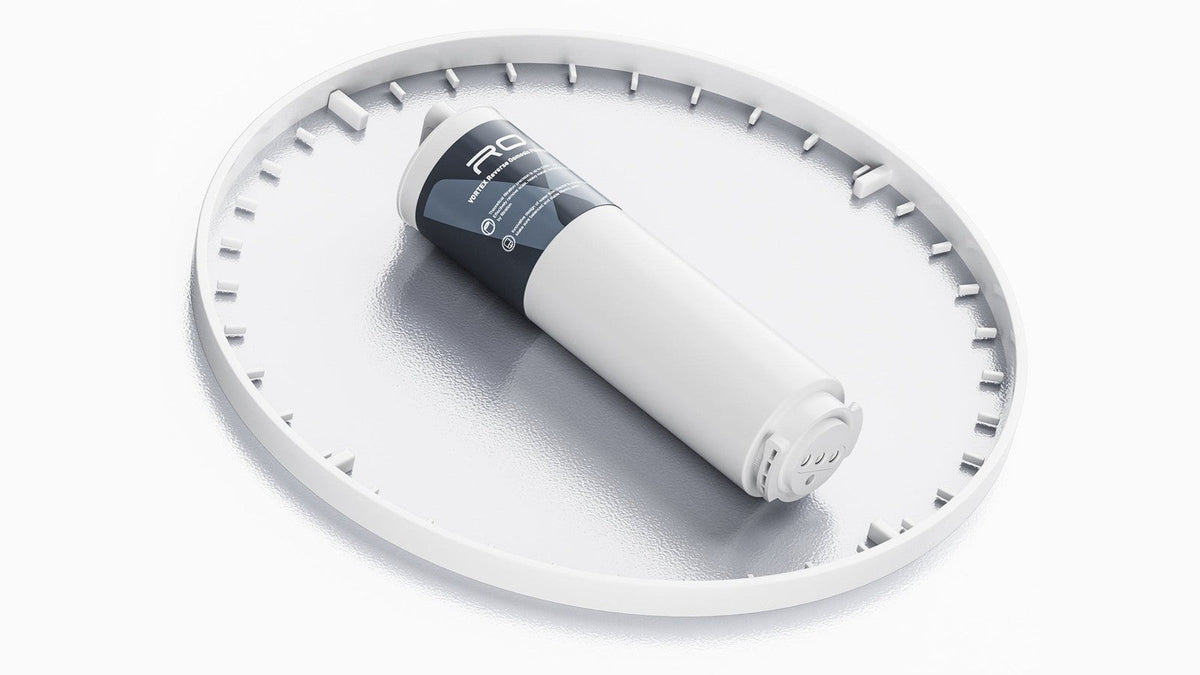
Identify your system in two steps before you order anything: first decide whether it is a PRO model, then whether it is the 600 GPD or 800 GPD version. If you only need a PCB cartridge, the first answer is enough; for an RO cartridge you need both. Together, the two answers point to exactly one PCB cartridge and one RO cartridge, because the four systems use six different cartridges between them. The PRO pair shares one PCB filter, the non-PRO pair shares a different PCB filter, and each of the four systems has its own RO filter.
Below you'll find how to tell which cartridge is due, the full compatibility chart with part numbers, the physical clues that tell the systems and cartridges apart, and what to do after the new cartridge is in.
Start With the Reminder: Which Cartridge Is Due?
Each system holds two cartridges: the PCB, a 5-in-1 composite cartridge whose carbon stages absorb chlorine and odors, and the RO cartridge, which holds the reverse osmosis membrane. They have separate lifespan indicators, and each system tells you which one is due.
Viomi V6 PRO and Viomi V8 PRO. The main unit has separate PCB and RO indicator lights. The light for the cartridge that is due flashes orange as it nears the end of its life and stays solid orange once it has reached it. That orange alert starts 10 to 15 days before a change is needed, so you have time to order the right part. The smart faucet also displays filter life, and the Viomi app adds lifespan tracking and replacement reminders.
Viomi V6 and Viomi V8. The PCB and RO lights on the main unit stay off while a cartridge is within its life. A light flashes orange when its cartridge is about to run out and stays solid orange when the cartridge has reached the end of its life. The faucet ring turns orange as well.
On every one of these systems, the replacement reminder counts from the installation date, so plan your order by the indicator rather than by how much water you think you have used.
So the first move is simple: note whether the orange light is PCB or RO. If only one is lit, you can replace just that cartridge. Then use the chart and the two identification steps below to pick the exact part.
The Compatibility Chart
Each Viomi replacement cartridge is listed for specific systems. Here is how they line up, with SKUs.
| Your system | PCB cartridge (SKU) | PCB rated life | RO cartridge (SKU) | RO rated life |
|---|---|---|---|---|
| Viomi V6 PRO (600 GPD) | Viomi V6 PRO / Viomi V8 PRO PCB filter (VM-V Pro PCB) | Up to 12 months | Viomi V6 PRO RO600 filter (VM-V6 Pro 600RO) | Up to 24 months |
| Viomi V8 PRO (800 GPD) | Viomi V6 PRO / Viomi V8 PRO PCB filter (VM-V Pro PCB) | Up to 12 months | Viomi V8 PRO RO800 filter (VM-V8 Pro 800RO) | Up to 24 months |
| Viomi V6 (600 GPD) | Viomi V6 / Viomi V8 PCB filter (YMJS378CN) | Up to 24 months | Viomi V6 RO600 filter (YMJS379CN) | Up to 48 months |
| Viomi V8 (800 GPD) | Viomi V6 / Viomi V8 PCB filter (YMJS378CN) | Up to 24 months | Viomi V8 RO800 filter (YMJS380CN) | Up to 48 months |
Check these three details before ordering:
- Both PCB cartridges are called "PCB." The PRO version (VM-V Pro PCB) and the non-PRO version (YMJS378CN) share the name, and they are separate parts.
- Within each line, the 600 and 800 RO cartridges look alike. Their labels carry "600G" or "800G," so match that number, plus the PRO designation, to your system.
- The SKU is the final match. Product names are long and similar, so compare the SKU on the listing with the one in your system's row.
Step 1: Is Your System a PRO Model?
Check the main unit under the sink and the faucet on the counter.
Look at the main unit
- Viomi V6 PRO and Viomi V8 PRO: a black main unit. The front shows two large round filter caps marked "PCB" and "RO," and the unit's control panel holds the PCB and RO indicator lights and the Select and Reset buttons.
- Viomi V6 and Viomi V8: a white main unit with white filter caps. Below the caps sit two small indicator lights labeled PCB and RO, plus Select and Reset buttons.

Look at the faucet
- PRO models use an LCD smart faucet with a digital display. The Viomi V6 PRO and Viomi V8 PRO product pages describe it as showing "real-time water quality (TDS) and filter life at a glance." TDS stands for total dissolved solids.
- Non-PRO models use a brushed nickel faucet with a light ring at the base. The ring turns orange when a filter replacement is due.
Look at your phone
The Viomi V6 PRO and Viomi V8 PRO connect to the Viomi app, which tracks filter lifespan and sends replacement reminders. The Viomi V6 and Viomi V8 handle reminders right at the faucet ring and the panel lights. So among these four systems, one that is paired with the Viomi app is a PRO model.
Look at the manual
The PRO models share one user manual, and its specification table lists the filter lifespan as RO 24 months and PCB 12 months. The non-PRO models share a different manual that lists the PCB at up to 24 months and the RO at up to 48 months. Whichever pair of numbers your manual shows tells you which half of the chart you are in.
Step 2: Is It the 600 or the 800?
Once you know the line, the second question is capacity. The Viomi V6 PRO and Viomi V6 are both rated at 600 GPD (gallons per day); the Viomi V8 PRO and Viomi V8 are both 800 GPD.
- Read the main unit. The housing carries a "600G" or "800G" marking under the Viomi logo.
- The RO cartridge label repeats it. You'll see "600G" or "800G" in the cartridge name when you swap it (more on this below).
The PCB choice depends only on PRO versus non-PRO, while the RO choice depends on both answers.
Step 3: Read the Cartridge Label Before It Goes In
You don't need to remove anything to order: the main unit's color and its 600G or 800G marking (or your original order confirmation) place you in your row. The label check comes at swap time. When you pull the old cartridge (steps below), hold it next to the new one and compare. Here is the wording Viomi prints on each cartridge, along with the visual differences shown in Viomi's product photos.
| Cartridge | Label wording | Label and top cap |
|---|---|---|
| Viomi V6 PRO / Viomi V8 PRO PCB | "5 in 1 PCB PRO Composite Filter" | Charcoal-gray label, flat top cap |
| Viomi V6 PRO RO600 | "Reverse Osmosis Filter 600G PRO" | Charcoal-gray label, flat top cap |
| Viomi V8 PRO RO800 | "Reverse Osmosis Filter 800G PRO" | Charcoal-gray label, flat top cap |
| Viomi V6 / Viomi V8 PCB | "5 in 1 Composite Filter" | Blue-gray label, top cap with a raised nozzle |
| Viomi V6 RO600 | "Reverse Osmosis Filter 600G" | Blue-gray label, top cap with a raised nozzle |
| Viomi V8 RO800 | "Reverse Osmosis Filter 800G" | Blue-gray label, top cap with a raised nozzle |
For a PCB cartridge, look for "PRO" in the name: it is there on the PRO version and absent on the non-PRO version. For an RO cartridge, check two things: whether the name ends in "PRO" and whether it says "600G" or "800G." When you order, make sure the SKU on the Viomi product listing matches your row of the chart. At swap time, if the new cartridge's label differs from the old one on "PRO" or on the capacity number, it is not the matching part for your system, so don't install it.


Swapping the Cartridge, Step by Step
All four systems use a twist-and-lock cartridge that changes from the front of the unit, and the swap is tool-free. The sequence below follows the Viomi V6 PRO / Viomi V8 PRO user manual and the Viomi V6 / Viomi V8 user manual, which include diagrams of each step.
Remove the old cartridge
- Close the feed water adapter and turn off power to the main unit.
- Slide the main unit out of the cabinet carefully, without pulling on the water lines or the faucet cable.
- Open the purified water faucet for about 5 seconds to release pressure in the system, then twist the old cartridge free and pull it out.
Install the new cartridge
- Unpack the new cartridge, set the handle horizontal, and push the cartridge into the matching port (PCB into the PCB port, RO into the RO port).
- Press in and rotate 90° clockwise until it lines up with the lock mark and the handle points straight up.

Reset the filter life
- Return the main unit to the cabinet, reopen the feed water adapter, and restore power. On the main unit's control panel, press Select until the indicator for the cartridge you replaced (PCB or RO) is lit, then press and hold Reset for 3 seconds until the unit beeps.
Don't skip the reset: it is what lets the system calculate the new cartridge's lifespan. On the Viomi V6 PRO and Viomi V8 PRO, a successful reset shows the cartridge at 100% on both the faucet and the app.
Flush before drinking
- Viomi V6 PRO and Viomi V8 PRO: resetting a new cartridge triggers a 70-second automatic rinse, with rinse progress counting from 1 to 100. Afterward, run the faucet until the water comes out clear.
- Viomi V6 and Viomi V8, new PCB: run the purified water faucet for 15 minutes.
- Viomi V6 and Viomi V8, new RO: the new membrane carries a food-grade glycerin protective agent. Viomi's manual recommends producing as much purified water as possible on the first day and using it for kitchen cleaning rather than drinking.
- Replacing both at once on a Viomi V6 or Viomi V8: follow the RO routine, since it is the longer of the two.
On the Viomi V6 PRO and Viomi V8 PRO, the first water from a new cartridge can look grayish or contain air bubbles. This is normal; keep flushing until it runs clear. On the Viomi V6 and Viomi V8, a little carbon dust from the carbon filter can make the first water look slightly dark, so follow the PCB or RO flushing routine above.
Why the Exact Match Is Worth the Extra Minute
A cartridge that matches your system is what keeps the filtration you bought working as designed. The Water Quality Association, which runs one of the ANSI-accredited product certification programs for drinking water treatment products, notes in its lead in drinking water FAQ that replacing filters as recommended is part of keeping them performing as promised.
Viomi's manuals ask owners to use official filters carrying Viomi's anti-counterfeiting labels. Use the SKU in your system's row to select the matching cartridge.
FAQ
Can the Viomi V6 PRO and Viomi V8 PRO use the same PCB filter?
They can. Both PRO systems use the same PCB cartridge, SKU VM-V Pro PCB, rated at 12 months. Their RO cartridges are different: the Viomi V6 PRO takes the RO600 (VM-V6 Pro 600RO) and the Viomi V8 PRO takes the RO800 (VM-V8 Pro 800RO).
Will a Viomi V6 / Viomi V8 PCB filter fit my Viomi V6 PRO?
The two PCB cartridges are separate parts for separate system lines. Viomi lists the PRO PCB (VM-V Pro PCB) as exclusively compatible with the Viomi V6 PRO and Viomi V8 PRO, and the non-PRO PCB (YMJS378CN) for the Viomi V6 and Viomi V8. Order the one from your system's row of the chart.
Can I put an 800 RO cartridge in a 600 GPD system to get more water?
Each RO cartridge is listed for one system only. The RO600 cartridges go in the 600 GPD systems and the RO800 cartridges go in the 800 GPD systems, within the same line. Choose the one that matches the capacity printed on your main unit.
My Viomi V8 came with a spare PCB cartridge. Which one is it?
The spare in the Viomi V8 box is the Viomi V6 / Viomi V8 PCB filter, and the spare in the Viomi V8 PRO box is the Viomi V6 PRO / Viomi V8 PRO PCB filter. In each case it is the same cartridge as the one pre-installed. When the orange reminder shows the PCB is due, install the spare using the steps above, reset the PCB indicator, and run the flushing routine for your model.
Do I have to replace the PCB and RO cartridges together?
Replace each one when its own indicator tells you to. When both are due together, change both and reset each indicator separately. On the Viomi V6 and Viomi V8, follow the RO flushing routine, the longer of the two; on the Viomi V6 PRO and Viomi V8 PRO, let the 70-second automatic rinse run and then flush until the water runs clear.
I lost the manual and the box. What is the fastest way to identify my system?
Check the color of the main unit (black for PRO, white for non-PRO), then read "600G" or "800G" on its housing. Those two observations place you in one row of the chart. Your old RO cartridge's label, with or without "PRO" and with its capacity number, confirms it.
The Quick Way to Order the Right Viomi Replacement Filter
Before you order, answer two questions:
- PRO or not? A black main unit with a digital TDS faucet means Viomi V6 PRO or Viomi V8 PRO. A white main unit with a faucet light ring means Viomi V6 or Viomi V8.
- 600 or 800? Read the capacity marking on the main unit. (Only needed for an RO cartridge.)
Then order the cartridge flagged by the orange replacement reminder, using the SKU in your system's row of the chart. When the new cartridge arrives, compare its label with the old one, install it following the steps above, reset the matching filter indicator, and complete the flushing routine for your model. The system is then back on a fresh countdown.
Share:
600 vs. 800 vs. 1000 GPD RO Systems: Pot-Fill Times and What Cold Water Changes
Fresh TDS Reading or Cached Value? How to Tell on a Smart Faucet