

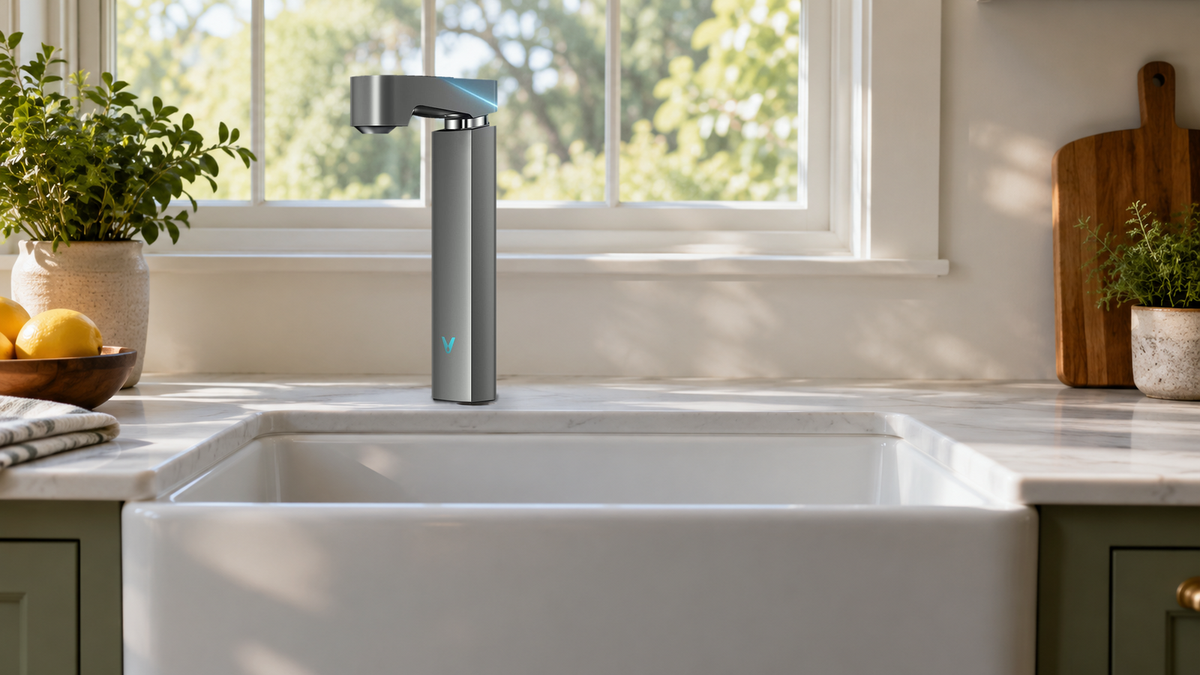
How your household uses the kitchen tap is the best guide to choosing a smart water filter. If everyone glances at the faucet while filling a glass, a display on the faucet itself does more than a phone app, and if nobody in the house opens apps, the filter reminder has to show up somewhere people already look. For a kitchen built around that kind of routine, the Viomi M1 under-sink reverse osmosis (RO) system is a strong fit, because its touchscreen faucet shows filter life right where everyone fills a glass.
Where the Readings Appear: Faucet, Main Unit or Phone
The first decision is where you want to see information. Anyone filling a glass sees a faucet display; a light on the main unit is seen when the cabinet is open; app alerts go to whoever paired their phone.
Brands split along the same three lines. Some keep the readings at the faucet, as Waterdrop does on models such as the X12 and G3P800, and some move them to an app, as AquaTru and Cloud RO do. Others count water instead: LARQ tracks the water passing through its PureVis pitcher filter, and Kinetico's K5 pairs a non-electric indicator with a filter that stops the flow at capacity.
Faucet displays differ first in how many TDS numbers they show. Tap-water TDS and purified-water TDS sit side by side on the Viomi M1's touchscreen faucet, while the LCD faucet on the Viomi V8 PRO keeps purified-water TDS in view in real time. Both faucets also show filter life, as a percentage on the M1 and at a glance on the V8 PRO. Other faucet displays cover the same pair of readings, including those on Waterdrop's X12 and G3P800 and Frizzlife's PD600-N.
The TDS (total dissolved solids) number on these faucets is a quick, everyday view of how much dissolved material is in the water being poured. On the Viomi M1, tap-water and purified-water TDS sit side by side, so the difference the RO system makes is visible each time someone fills a glass.

Under the counter, PCB and RO filter lights on the main unit of Viomi under-sink systems show filter status too, so the cabinet tells the same story as the faucet.
The phone is where the family member who handles maintenance follows the same filters more closely. In the Viomi app, that person sees how much filter life is left, as a percentage with days remaining, for the Viomi M1, Viomi V8 PRO or Viomi V6 PRO. The same app tracks water usage and sends replacement reminders. The percentage and days remaining tell that person when to order without anyone checking under the sink. AquaTru's Smart countertop models and Cloud RO also track filter life on the phone, and both link the reminder to ordering cartridges.
When the Filter Reminder Appears
On Viomi RO systems, the notice comes ahead of the change. The Viomi V8 PRO's panel lights turn orange 10 to 15 days before a cartridge is due, and the app sends a replacement reminder, so a new cartridge can be ordered well ahead. That window of orange lights is the cue for whoever keeps spare cartridges, and the cartridges themselves are rated in years, from 1 year for the V8 PRO's PCB filter up to 4 years for the M1's RO filter.
On a pitcher, the countdown can live on the pitcher itself or in an app. A countdown on the pitcher reaches whoever in the household pours from it, while an app reaches the phone that was paired with it. A cartridge in the Viomi Inno 13-Cup Water Filter Pitcher lasts up to 2 months under normal use, and the pitcher itself shows remaining filter life as a percentage and as estimated days left. On LARQ's PureVis pitcher, a sensor tracks the water filtered and filter life is reported in the LARQ app.
Culligan and Kinetico, both sold through dealers, count with hardware instead: Culligan tracks gallon usage on its specialty cartridges, and Kinetico's K5 shuts the system off when its filter reaches capacity.
For more on how sensors estimate remaining life, see this explainer on smart sensors for filter lifespan detection.
What Keeps Working Without Wi-Fi or the App
On the Viomi M1, Viomi V8 PRO and Viomi V6 PRO, the faucet is wired to the main unit by a signal cable, and the readings on the faucet and the panel lights come from the purifier under the sink. The app is a second window onto that data that adds usage history and push reminders. The faucet display on the Viomi V8 PRO and Viomi V6 PRO works from the first day, and Wi-Fi can be switched on whenever the household wants the app. In a home that rarely opens the app, the faucet readings and panel lights still carry the filter status on their own.
Other designs make the same split in different ways. Cloud RO's app connects to the system over Bluetooth, and AquaTru sells its countertop purifiers both as the Classic and as the app-connected Classic Smart, so choosing between the two is, in effect, choosing whether the app is part of the system at all.
Who in the Household Notices a Reminder
A faucet display reaches the whole household: on the Viomi M1, the PCB or RO label on the faucet flashes orange as a cartridge nears the end of its life and stays solid orange when it is due. Inside the cabinet, the Viomi V8 PRO's control panel lights give whoever checks under the sink the same advance notice.
App alerts reach whoever paired the phone, and some brands add their own detail to them; Culligan's Connect app, for one, sends alerts alongside water consumption details. For households with older relatives or children, a number on the faucet is also easy to point to when someone asks whether the filter needs attention.

What the App Adds for Whoever Handles Maintenance
The app gives whoever in the household handles maintenance the detail behind the faucet's numbers. TDS before and after filtration shows up on all three Viomi RO systems, and each keeps a record of the water it makes, called water-making records on the Viomi M1 and a daily usage report on the Viomi V8 PRO and Viomi V6 PRO. The Viomi M1's app also shows feed-water temperature, and it is where a custom pour is set.
If one person orders the cartridges, a usage history and a days-left count on that person's phone make the next order easy to time, while everyone else keeps reading the faucet.
What Happens at Cartridge Change

The cartridges on the Viomi M1, Viomi V8 PRO and Viomi V6 PRO swap without tools: a twist unlocks each one, and the new cartridge locks in the same way. Because the swap needs no tools, the person who orders the cartridge can just as easily be the one who fits it. A filter-life reset then brings the faucet and the app to 100% for the new cartridge.
Preset Pours and Hands-Free Dispensing
Some smart faucets measure the water for you. The Viomi M1 has three preset volumes on the faucet, including 10 oz and 40 oz, and its app lets you set a custom pour, so a mug, a water bottle or a pot fills without someone standing over it. A 10 oz pour suits a mug or a child's cup, and a 40 oz pour covers a large pitcher or the start of a pot of pasta water. The Waterdrop X12 offers adjustable water volumes through touch controls on its faucet.
Preset pours take the watching out of filling the same bottles, kettles and pots every day, and anyone in the household can start one with a single tap.
Matching Smart Designs to Household Situations
| Household situation | Smart design that fits | Models with it |
|---|---|---|
| Several people use the sink and nobody wants another app | Readings and filter status on the faucet itself | Viomi V8 PRO, Waterdrop G3P800, Frizzlife PD600-N |
| Daily bottles, pots and coffee makers to fill, with tap and filtered TDS side by side | Preset volumes and two TDS readings on the faucet | Viomi M1 |
| One person handles maintenance and wants advance notice | Panel lights ahead of the due date plus app reminders | Viomi V6 PRO |
| No under-sink installation; filtering in the fridge | Pitcher with filter-life tracking | Viomi Inno 13-Cup Water Filter Pitcher, LARQ Pitcher PureVis |
For a feature-by-feature view of the same brands, see our comparison of smart water purifier brands by feature.
FAQ
Does a smart water filter need power at the sink?
The Viomi M1, Viomi V8 PRO and Viomi V6 PRO run on household power, which keeps the faucet display ready whenever someone pours. The Viomi Inno pitcher's filter-life indicator is built into the pitcher itself.
Will older relatives or young kids find a touchscreen faucet hard to use?
The everyday action stays simple. The Viomi M1's faucet uses one-touch dispensing, and its presets pour a set amount with a single tap, so nobody has to judge when to stop. A grandparent filling a mug needs one tap on the 10 oz preset and no guesswork. The Viomi V8 PRO dispenses through a familiar faucet handle, with the LCD above it showing TDS and filter life.
What happens after I change my Wi-Fi router?
On Viomi smart RO systems, the faucet display and panel lights are driven by the purifier and its wired faucet, so the readings at the sink come from the unit itself. The app carries on once the purifier is connected to the new network.
Does a smart faucet install differently from a regular drinking-water faucet?
The Viomi M1, Viomi V8 PRO and Viomi V6 PRO smart faucets mount on the countertop beside the main kitchen tap, the same place a drinking-water faucet goes. The difference is underneath: a signal cable links the faucet to the main unit, which is how the TDS and filter-life readings reach the display.
Smart Filter Brands Measured Against Your Daily Routine
The smart features that earn their place are the ones your household will use every day, starting with a reading where people already look. If most of your water is poured at the kitchen sink by several people, put the faucet display first on your list; if one person runs the household's maintenance from a phone, a system that pairs a faucet display with app reminders covers both.
Share:
Countertop Water Filters for Alkalinity: Alkaline Pitchers, Gravity Systems and RO With a Mineral Stage
Under-Sink RO for a Home That Already Has a Water Softener and Carbon Filter