

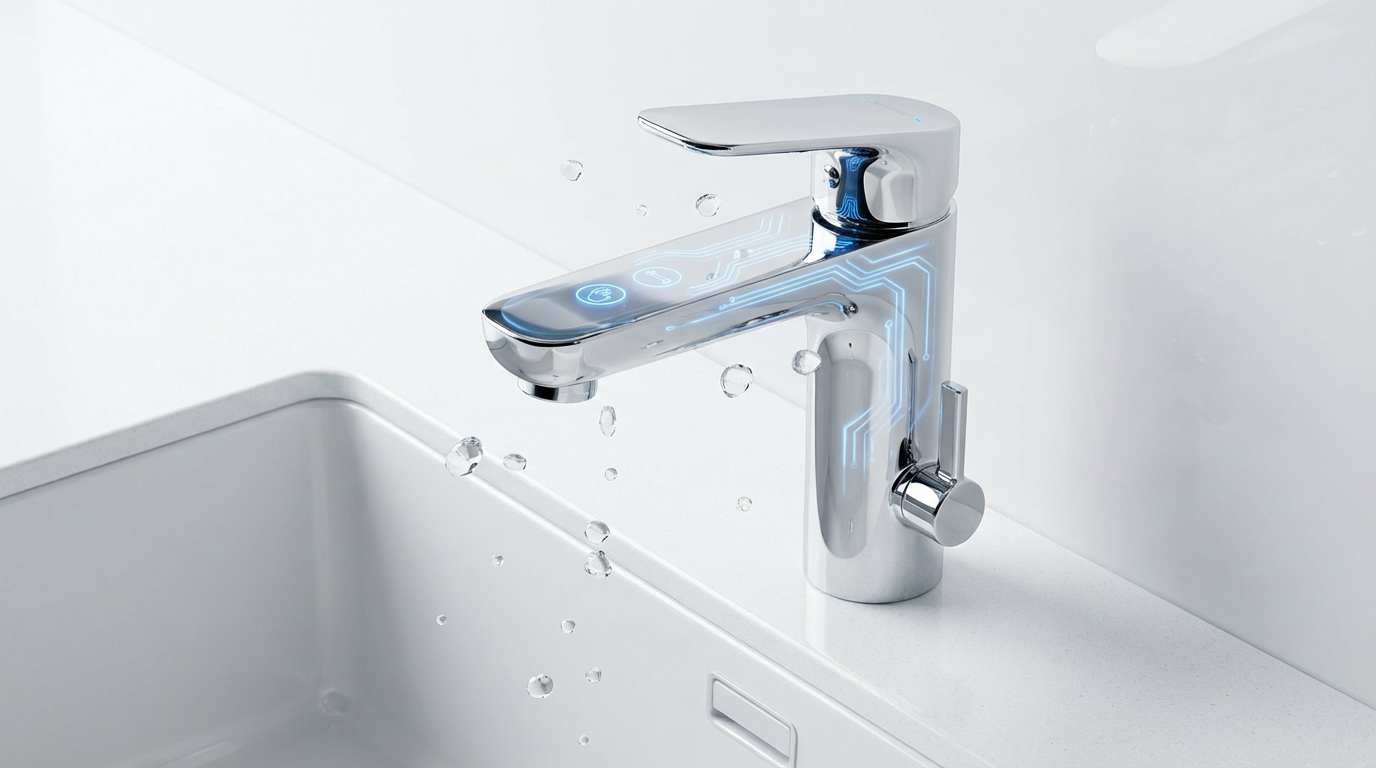
Smart faucets are no longer sci‑fi gadgets. They are becoming the quiet workhorses of healthy, efficient home hydration systems. Yet many people still ask a very reasonable question: how can a faucet that uses electronics and capacitive touch stay reliable and safe in such a wet environment?
As a smart hydration specialist focused on both wellness and practicality, I like to unpack that question from the user’s point of view first: you want cleaner, easier kitchen and bathroom routines, you want to waste less water, and you need to trust that your faucet will not misbehave just because the spout is wet or the sink is full.
This article explains, in plain language, how capacitive touch control works in smart faucets and how thoughtful engineering helps those systems remain water-resistant, safe, and dependable in real homes.
Why Touch Control, Not Just Motion Sensors?
When manufacturers first started exploring “smart” faucets, hands-free motion sensing seemed like the obvious answer. But real kitchen behavior told a more nuanced story.
Delta Faucet spent years observing how people actually cook and clean. Their research showed that while consumers like touchless, fully hands-free faucets, in busy kitchens those sensors can create “surprise” activations. Waving a pan, stacking dishes, or just moving around the sink often triggered water when nobody really wanted it.
Capacitive touch was their answer to that problem. Instead of waving near a sensor, you intentionally tap the faucet’s spout or handle. You still avoid grabbing the handle with messy fingers, but you gain more control over when water starts and stops. That is particularly helpful when you are juggling a pot, rinsing produce, or washing raw chicken off your hands.
Plumbing professionals echo this convenience story. Service providers like Benjamin Franklin Plumbing of Indianapolis describe touch faucets as giving you a kind of “extra hand” in the kitchen. You nudge the spout with your wrist or forearm, get the water you need, and then tap again to shut it off without smearing grease, dough, or raw meat on the handle.
This intentional touch, combined with smart tuning, becomes the foundation for water-resistance in a functional sense: the faucet must respond to deliberate human contact, not every splash, drip, or nearby motion.

Capacitive Touch 101: What The Faucet Actually “Feels”
Capacitive touch is the same basic technology that makes your cellphone screen respond to your fingertip instead of your fork.
Capacitance is the ability of a system to store electrical energy, measured in farads. In everyday life, you notice capacitance when you walk across a carpet, build up static, and feel a tiny shock when you touch a metal doorknob. Your body is acting like a small capacitor.
Researchers working with faucet makers describe the human body’s capacitance as being in the tens to low hundreds of picofarads. Delta’s engineering team notes that a typical human contributes roughly 22 picofarads in the context of their Touch2O system, while plumbing educators writing about touch faucets often refer to a range of about 100–200 picofarads. The exact number depends on how and where you measure, but the key idea is that your body represents a distinct, fairly consistent “extra” capacitance the electronics can detect.
A capacitive touch faucet uses that extra signal in a few important ways.
First, the control module constantly measures the baseline capacitance of the faucet environment. It knows what the spout and handle look like electrically when nobody is touching them.
Second, the moment you touch the metal spout or handle, your body slightly increases the capacitance of that system. The controller looks for a change roughly in the human-body range compared with the baseline. When that jump appears, it treats it as a touch and toggles the water on or off.
Third, smart systems do not just look at size of the signal; they look at timing. Delta’s Touch2O platform, for example, distinguishes quick touches shorter than about 300 milliseconds from longer “grabs.” That allows the faucet to interpret a brief tap as an on/off command while treating a longer hold differently if the manufacturer chooses. This distinction also helps filter random noise and keep the faucet from reacting to every transient blip.

To extend the sensing surface, some designs connect the electronics to the brass handle and the brass spout with dedicated capacitive sensors. Any conductive piece attached to that sensor wiring effectively becomes part of the touch area. That is why you can often tap the side of the spout or the base, not just a tiny button, to operate the faucet.
All of this sets the stage for handling water. If the system can track a baseline and detect human-sized changes over time, it can also be tuned to ignore smaller shifts caused by humidity, a thin film of water, or nearby metal.
Water And Electronics: The Core Challenge
From a user perspective, “water resistance” usually means three things.
You do not want the faucet to turn on or off every time it gets splashed or a wet sponge brushes against it. You need the electronics to stay safe and dry so there is no shock risk. And you want consistent performance even in a steamy kitchen, with water inside the faucet body and around the sink.
For engineers, that translates into a more detailed set of challenges.
They must embed electronics without ruining the design of the faucet. They need materials and sensing approaches that work across a range of faucet styles, sink materials, and water qualities. They must tune sensitivity so operation feels intuitive and “smart,” not jumpy or unresponsive. They also need to think about installers and homeowners who may be skeptical about combining electronics and water, and who may install the product in many different ways.
Delta describes one of their critical constraints as isolating the faucet from surrounding metal, particularly metal sinks, and managing the effects of water inside and outside the faucet so moisture does not degrade performance. That means the faucet cannot simply be one big piece of metal that is electrically tied to the sink and flooded with water. It needs intentional electrical boundaries and smart sensing rules.
On top of that, water damage in general is a serious home risk. The National Association of Home Builders, drawing on EPA WaterSense data, notes that minor leaks in US homes waste more than a trillion gallons of water per year, and typical water-damage repairs can cost well over three thousand dollars per incident. Smart leak detection companies and plumbing contractors emphasize that leaks around appliances or plumbing fixtures are among the most frequent and expensive causes of home damage.
In other words, the faucet must survive in a wet world, not become one more failure point.

How Capacitive Touch Faucets Achieve Practical Water Resistance
Manufacturers use several design strategies to keep capacitive touch systems reliable in the presence of water while maintaining safety and comfort.
Isolating The Faucet From Sinks And Other Metal
Metal sinks, counters, or accessories near the faucet can “steal” some of the capacitance signal or create unwanted coupling paths. If the faucet and the sink become one big electrical object, it becomes difficult for the electronics to tell when a human body has joined the system.
To avoid that, faucets built around capacitive touch are designed so the sensing surfaces and the reference electronics are electrically distinct from surrounding metal. Delta specifically highlights the importance of isolating the faucet from nearby metal sinks. That typically affects choices in mounting hardware, under-sink connections, and internal structure so the faucet’s sensing surfaces maintain a stable, predictable relationship to the electronics rather than to the entire kitchen.
For homeowners, this isolation is invisible, but it is one of the reasons reputable brands insist on following their installation steps carefully instead of treating a smart faucet like any other fixture.

Managing Water Inside And Outside The Faucet
Water is both the medium and the potential troublemaker. It can change capacitance along the spout, create films that connect surfaces, or move in and out of the sensing area as you run the tap.
The baseline-and-change approach of capacitive sensing is a powerful tool here. By measuring the faucet’s capacitance over time, the control system can adapt to gradual changes in moisture, such as condensation, and treat them as the new normal. Once things settle, an actual human touch still appears as a distinct, larger change layered on top.
Delta engineers highlight the need to manage water inside and outside the faucet so that moisture does not degrade performance. That management covers everything from internal pathways and surface finishes to how the sensor wiring and metals are arranged. Materials and geometries are chosen so that typical water films or droplets do not give the electronics the same “signature” as a full human touch.
Tuning Sensitivity So Splashes Do Not Count As Commands
If capacitive sensors were set to react to the slightest change, your faucet would act like an impatient toddler, turning water on and off constantly. Instead, manufacturers spend a lot of effort tuning sensitivity.
Delta describes this as making operation feel intuitive and not overly reactive. Their system looks for the characteristic size and timing of a human body’s capacitance, not every little blip. The duration-based distinction between short touches and longer grabs is part of that filtering. A random splash may create a tiny, fast perturbation, but it is unlikely to look like a deliberate tap that stays long enough to register as a command.
Other brands that use capacitive or combined capacitive and infrared sensing, such as Brizo, Lefton, and several touch-sensitive faucet makers, follow the same principle: the faucet should react instantly when you intentionally tap the spout with your wrist, yet remain calm when you rinse vegetables or wipe the surface with a sponge.
This tuning is one reason real-world users often report fewer “surprise activations” with capacitive touch than with purely motion-based touchless faucets, especially in tight or busy kitchen layouts.
Using Low-Voltage, Battery Power For Safety
Many homeowners initially worry about mixing electricity and water at the sink. Smart faucet designers anticipate that concern.
Delta explicitly emphasizes that their Touch2O system is battery-powered and leverages the user’s own body capacitance for activation rather than any high-power electrical source. Plumbing service providers echo that reality: Benjamin Franklin Plumbing explains that touch faucets typically either use batteries or draw power from a nearby ground-fault-protected outlet. Lefton’s touch faucet designs and Brizo’s SmartTouch technology also rely on low-voltage supply, sometimes with optional AC adapters.
In practice, that means the faucet’s electronics operate at very low voltages and currents, far below anything that would present a shock hazard in a properly installed system. Your body is not being energized; it is simply altering an existing electric field that the sensor is monitoring.
Because the systems are low power, batteries can last a long time. Several smart faucet and smart fixture brands note that their energy-efficient electronics can run for extended periods before needing replacement. When batteries do run low, many faucets provide an LED indicator so you have warning well before functionality is affected.
Keeping the control electronics low-voltage, paired with proper grounding and, where applicable, GFCI protection, forms a key part of electrical water resistance: even if there is a plumbing leak elsewhere at the sink, the faucet’s power system is designed to remain safe.
Designing For Real Homes, Not Just Lab Conditions
Technical water resistance is not only about seals and circuits. It is about human behavior.
Delta highlights that nontechnical challenges matter: installers must adjust their habits, and homeowners often need reassurance about reliability and safety. James River Construction, for instance, points out that touch faucets require a power source and strongly recommends professional installation because “water and electricity do not mix” if a seal is loose or wiring is improvised.
Smart plumbing specialists like West Plumbing, Western Rooter, and others stress that smart faucets, leak detectors, and automatic shutoff valves work best when treated as parts of an integrated water system. Correct placement, proper mounting, and adherence to manufacturer instructions help ensure that moisture around the sink does not inadvertently create electrical paths or interfere with sensing.
In that sense, water resistance is a partnership between thoughtful engineering and thoughtful installation.
Health, Hygiene, And Water Savings: Why This Tech Matters
Water-resistant capacitive touch is not just an engineering curiosity. It is a foundation for healthier, more efficient everyday hydration.
Touch faucets and touch-sensitive systems help improve hygiene by reducing the need to grab a handle with dirty hands. Benjamin Franklin Plumbing notes that this can lower the risk of spreading foodborne pathogens like salmonella, since you can wash raw egg or meat off without smearing it onto faucet hardware. Brands like Brizo and Lefton deliberately promote tapping with the wrist or forearm as a way to keep the main handle cleaner.
Touchless and smart faucets also help with water conservation. Oras, a European faucet manufacturer, points out that a typical family of four may turn on a faucet around two hundred times per day. Small habits add up: leaving the tap running while brushing teeth can waste around 420 liters, or roughly 110 gallons, of water per week per household. Their data suggests that touchless sensor faucets can reduce water waste by up to fifty percent because water only runs when hands are actually present.
Advanced smart-plumbing research summarized by Western Rooter extends that idea across the home. They report that combining smart leak detection with efficient faucets, toilets, and showers can reduce overall water consumption by around forty to fifty percent, with many homeowners seeing full payback on upgrades within one to two years when factoring in lower water and energy bills plus insurance savings.
Capacitive touch faucets play a specific role in this ecosystem. Because it is so easy to tap water off between tasks, users are more likely to stop the flow while scrubbing dishes, peeling vegetables, or soaping their hands. Delta and Brizo both highlight this “micro-conservation” benefit: the faucet becomes quicker to use, so you are less tempted to leave water running while you multitask.
Health and safety also extend beyond germs. Some smart faucet lines incorporate temperature cues. Brizo’s TempID indicator, for example, uses LED color changes at the faucet base to show when water is cold, hot, or in a comfortable middle range, helping reduce accidental scalding. Lefton’s KF2209 faucet offers a battery-free digital temperature display and screen, giving you precise feedback on water temperature right at the spout. These features make it easier to set safe temperatures for children and older adults without constant trial and error.
Finally, several smart faucet and fixture brands include optional filtration or integrate well with under-sink filters. Bluefrog Plumbing notes that smart faucets can support built-in filtration to reduce contaminants like chlorine and lead, which matters if you rely on your kitchen tap as your main drinking water source.
When you put it all together, water-resistant touch control is really about enabling cleaner hands, safer temperatures, and more mindful water use without making the sink harder to live with.

Touch Versus Touchless Versus Traditional: How They Compare
To understand the specific role of capacitive touch in water resistance, it helps to compare it with other faucet types. The following table summarizes practical differences.
Aspect |
Capacitive touch smart faucet |
Motion-based touchless faucet |
Traditional manual faucet |
Activation |
Intentional tap on spout or handle using body capacitance |
Hand or object breaks infrared or presence sensor beam |
Turn handle or lever by hand |
Risk of surprise activation |
Lower in busy sinks because touch is required |
Higher in tight or cluttered areas where movement crosses sensor |
None, but requires full manual operation |
Hygiene benefit |
High, since you can tap with wrist or forearm instead of dirty fingers |
Very high, no contact required |
Lowest, frequent contact with dirty hands |
Water-waste control |
Encourages quick on/off between tasks; some include auto-shutoff |
Runs only when presence detected; can cut wastage up to about fifty percent as noted by Oras |
Depends entirely on user discipline |
Behavior when surfaces are wet |
Tuned capacitive sensing aims to ignore normal splashes and films while still detecting human touch |
Sensor windows may misread water droplets or reflections if not well tuned |
Fully mechanical; unaffected by water in terms of activation, but handles get dirty |
This comparison shows why capacitive touch is often chosen for busy family kitchens.

It offers a strong hygiene and water-conservation profile like touchless systems, but with less risk of random activations when cookware, children’s hands, or pets move near the sink. With proper tuning and isolation, its behavior remains stable even when the spout is wet.
Choosing A Water-Resistant Capacitive Touch Faucet
If you are considering a capacitive touch faucet as part of your home hydration upgrade, a few practical guidelines can help you get a model that stays reliable around water rather than becoming finicky.
Decide On Touch, Touchless, Or Hybrid
Some faucets are purely touch-activated, some purely touchless, and a growing number offer hybrid modes where you can use either. Benjamin Franklin Plumbing notes that certain models can switch between touch and touchless modes so you can choose what works best for your household.
If your kitchen is compact, with cabinets or dish racks close to the sink, you may prefer a touch system to avoid motion-based false triggers. If you are outfitting a hands-free prep zone or a bathroom where cross-contamination risk is extremely high, a well-tuned touchless faucet might make sense. For many homes, a hybrid faucet offers the best of both: you can wave for quick rinses, then rely on touch when the sink is crowded.
Look For Brands That Engineer Around Water
Not all “smart” faucets are equal. Long-term water resistance and reliability depend on how seriously the manufacturer treats moisture management and capacitive sensing.
Delta’s decade-plus of Touch2O development, including their focus on isolating the faucet from surrounding metal and managing internal and external water effects, is one reference point. Brizo’s SmartTouch line, Hansgrohe’s quietly engineered Select controls, and Dornbracht’s programmable eUNIT Kitchen system show similar dedication to making technology disappear into everyday use rather than calling attention to itself.
Lefton’s KF2209 example illustrates how some brands go beyond basic touch to integrate solid metal construction, digital temperature readout, and flexible spray options while still prioritizing long-term durability and easy cleaning. When evaluating products, pay attention to whether the manufacturer talks specifically about water behavior, materials, and sensing stability, not just app features.
Plan Safe Power And Professional Installation
Capacitive touch faucets require power, either via batteries or a low-voltage connection to a nearby protected outlet. Benjamin Franklin Plumbing and James River Construction both advise that even skilled DIYers should consider professional installation, precisely because the combination of water, power, and sensitive electronics is less forgiving than a traditional faucet.
A professional installer can ensure that the faucet is correctly isolated from a metal sink, that seals are sound, that batteries and control boxes are positioned where leaks are unlikely, and that any necessary electrical protection is in place. Companies like West Plumbing emphasize that professional installation also supports long-term performance and simplifies warranty issues.
If you do choose a battery-powered model, think about access. The easier it is to reach the battery pack, the more likely you are to replace batteries promptly when the low-battery indicator appears, avoiding erratic behavior.
Pair Your Faucet With Smart Leak Protection
Even a well-designed faucet can be affected by leaks from supply lines, dishwashers, or other fixtures nearby. That is where smart leak detection comes in.
Wi‑Fi leak detection systems, as described by Team Bob’s Plumbing Services and leak protection specialists, use moisture sensors and sometimes flow and pressure monitoring to alert you the moment water appears where it should not. Some systems go further by automatically closing a shutoff valve on the main water line, significantly reducing damage if a pipe bursts or a fitting fails.
Organizations like the National Association of Home Builders highlight that an estimated ten percent of homes have leaks wasting ninety gallons or more of water per day, and that typical water-damage repairs often cost thousands of dollars. Whole-home monitoring solutions, such as those offered by Leak Defense and other smart water management providers, use sensors, analytics, and automatic valves to protect both structures and belongings.
If you are investing in a smart faucet and other electronic plumbing fixtures, it is worth considering leak detection as part of the same ecosystem.

Keeping the surrounding area dry protects not only your floors and cabinets but also the electronics that make your faucet “smart.”
Everyday Habits That Help Your Touch Faucet Stay Reliable
Once your capacitive touch faucet is installed, a few simple habits will support its water-resistance and longevity.
Treat the faucet as an electronic appliance as well as a plumbing fixture. Wipe it down with a damp cloth rather than abrasive pads to preserve any special coatings or sensor areas that the manufacturer has designed for optimal performance. Many smart faucets, including touch models from Lefton and others, use finishes that resist fingerprints and water spots, so routine wiping is usually enough.
Pay attention to feedback lights. Many touch faucets include an LED that signals low battery. Benjamin Franklin Plumbing notes that power loss is one of the most common causes of touch-faucet trouble, so replacing batteries promptly can prevent many “mystery” failures.
If the faucet ever seems inconsistent when wet, consider whether something has changed around it. A new metal dish rack pressed against the spout, a different sink insert, or even a permanent wet cloth draped over the spout could alter the sensing environment. Removing those sources and giving the faucet a chance to dry and re-establish its baseline capacitance may resolve the issue.
For behavior around water, lean into the strengths of the system. Tap the spout with your wrist or forearm instead of grabbing the handle with dirty hands. Turn water off between tasks. Use temperature cues or digital displays to avoid running excessively hot water longer than necessary. All of these habits support both hygiene and water conservation.
If troubleshooting steps such as replacing batteries or checking for obvious obstructions do not restore normal operation, professional help is a smart next step. Plumbing services familiar with touch and touchless faucets can diagnose issues such as faulty solenoid valves or internal leaks that might otherwise threaten the electronics.
FAQ: Water-Resistant Touch Faucets In Real Life
Will A Capacitive Touch Faucet Shock Me?
Properly designed touch faucets operate at very low voltage and current. Delta, for example, powers Touch2O from batteries and uses your body’s natural capacitance as the signal rather than driving significant current through you. Plumbing experts who install these systems routinely point out that, when installed correctly according to manufacturer instructions and building codes, the touch electronics do not present a shock hazard at the sink.
Will The Faucet Turn On Every Time It Gets Splashed?
Capacitive touch systems are deliberately tuned to avoid that. Delta highlights that they calibrate sensitivity so the faucet feels intuitive and not overly reactive, and they rely on both the size and the timing of the capacitance change. A typical water splash or droplet does not look like a deliberate human touch held long enough to count as a command. In practice, users often find that touch faucets produce fewer unintended activations than some motion-based touchless models, especially in crowded sinks.
Are Touch Faucets Really Worth The Extra Cost?
That depends on how you value convenience, hygiene, and water savings. Western Rooter reports that advanced smart faucets can reduce water use by up to about fifty percent and often pay back their higher upfront cost within roughly twelve to eighteen months through lower water and energy bills. Meanwhile, Oras shows how everyday habits like leaving taps running can waste more than a hundred gallons per week in a single household. When you factor in fewer germs on faucet handles, easier operation for people with limited grip strength, and a cleaner, more modern sink area, many households see capacitive touch faucets as a practical, health-supportive upgrade rather than a luxury gadget.
Closing Thoughts
Capacitive touch control in smart faucets is not magic; it is careful sensing, smart tuning, and respect for how water behaves in real homes. When brands design for isolation from surrounding metal, manage moisture thoughtfully, and keep electronics low-power and well protected, you get a faucet that pops on with a light tap, stays calm in the splash zone, and quietly helps your household drink, cook, and clean with less waste.
If you are building a healthier home hydration system, a well-engineered capacitive touch faucet paired with good leak protection and smart daily habits can be one of the most reliable allies you put at your sink.
References
- https://my.jalc.edu/ICS/icsfs/mm/consumer-water-consumption.html?target=d429a07d-3ef4-49e9-a5ee-76c97ddd48ca
- https://news.stanford.edu/stories/2019/08/smart-faucet-could-help-save-water
- https://www.nahb.org/advocacy/public-toolkits/a-builders-toolkit-for-water/home-water-use/smart-home-water-leaks
- https://www.leakdefense.com/
- https://www.westplumbing.co/smart-faucet-upgrades-for-water-conservation
- https://www.anmeifaucet.com/touchless-kitchen-faucets-types-benefits/
- https://www.bluefrogplumbingnorthdallas.com/5-benefits-smart-faucets/
- https://www.jamesriverconstruction.com/touch-v-touchless-faucets/
- https://shop.moen.com/pages/flo-smart-water-monitor?srsltid=AfmBOooluf47Jx0Jo-7hwvpuKD0jT8yPnerpsh6WPI8veUVDR4sv0jKh
- https://stories.oras.com/en/how-touchless-faucets-can-help-save-water

Share:
Understanding the Need for Check Valves in Reverse Osmosis (RO) Systems
Understanding the Effectiveness of 253.7 nm Wavelength UV Lamps